


A new tag system for MiniFantasyTheater
Published on
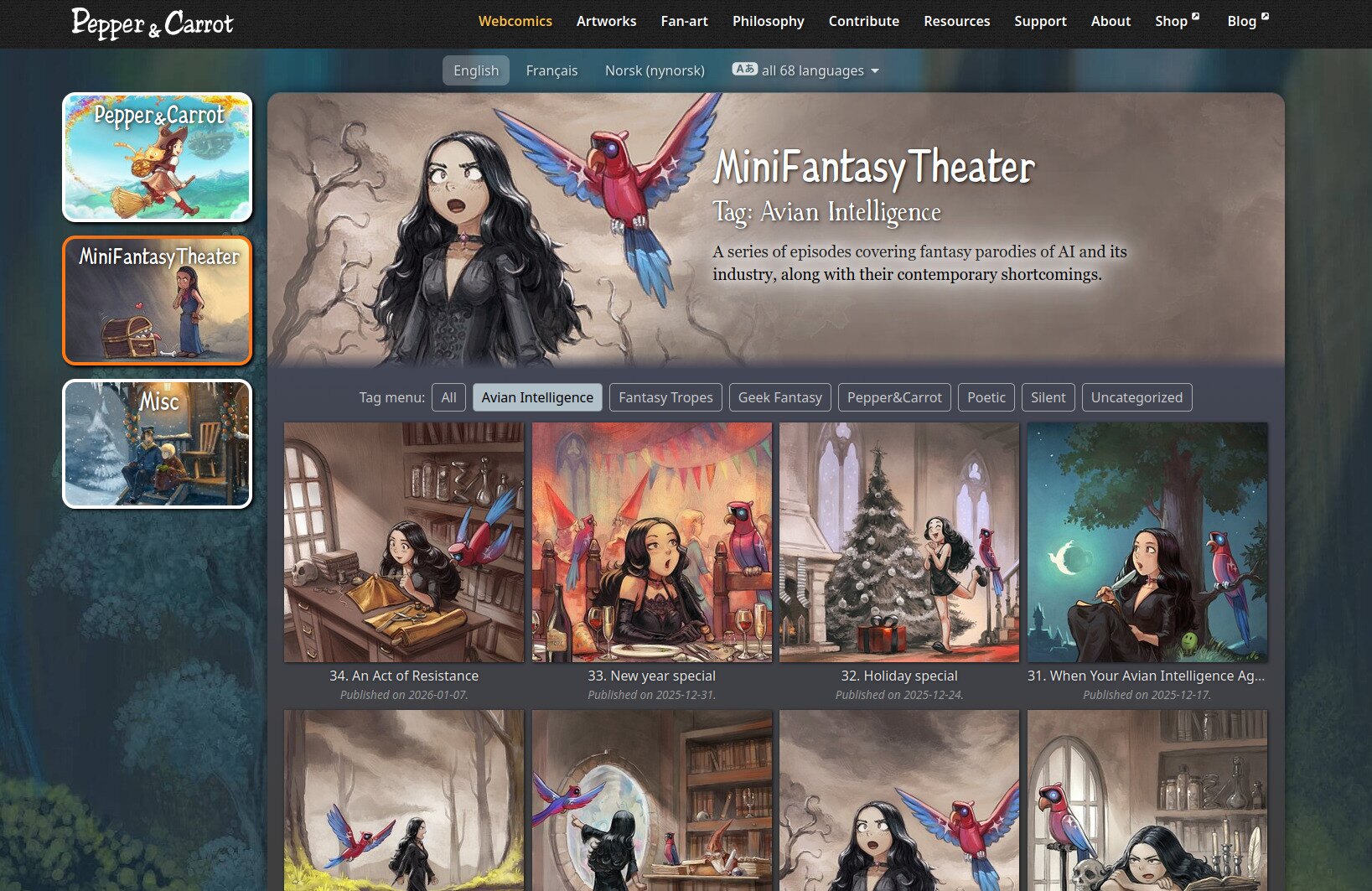
This week, I developed a new tag system to triage my weekly comics, making it easier to link to specific episodes in the series, such as Avian Intelligence.
You can find it here: https://www.peppercarrot.com/en/webcomics/miniFantasyTheater__Avian-Intelligence.html
And a big thank you to https://framapiaf.org/@Nartance for contributing the full French translation!
 88 -
88 -  195
195
4 comments
xuan@todon.eu
Thank you! A few days ago, I wanted to share this precisely, with a friend of mine. It comes very handy! 🤓
blargsniffle@mastodon.social
@Nartance
in that line of thinking, I suggest setting up a 'random' button. I have this done on my desktop already using autohotkey and so I just double click on an icon and a random Pepper and Carrot chapter gets loaded in my web browser.
davidrevoy
@blargsniffle A random button is a good idea, and it's not really a lot of work here because I have an array ready with the list of episodes; it's really just literally a `$rand_episode = array_rand($mft_episodes, 1);` away 😊
The real problem is where to put that on the user interface...🤔 I just had a look, and it sounds like it is a new button for the first/previous/menu/next/last navigation bar while browsing episode (eg, like on the top here https://www.peppercarrot.com/en/miniFantasyTheater/025.html ) ?
@Nartance
Nartance
indeed :D it would also be cool, from what I understand, to have this random button as an option in the main episode menu to "start" with a random page, like wikipedia
★Post a reply
The comments are synchronised every 12h with the replies to this post on Mastodon:How to use this? (click here to unfold)
Open a new Mastodon account on the server of your choice. Then, Copy/Paste the adress above in your Mastodon 'Search' field. The post will appear and you'll be able to fully interact with it. You'll have full control of your posts: edit, remove, etc. After that, your message will appear here.
Just please note that it may take up to 12 hours for your changes to be reflected here.