


Gmic filter : Poster Edges
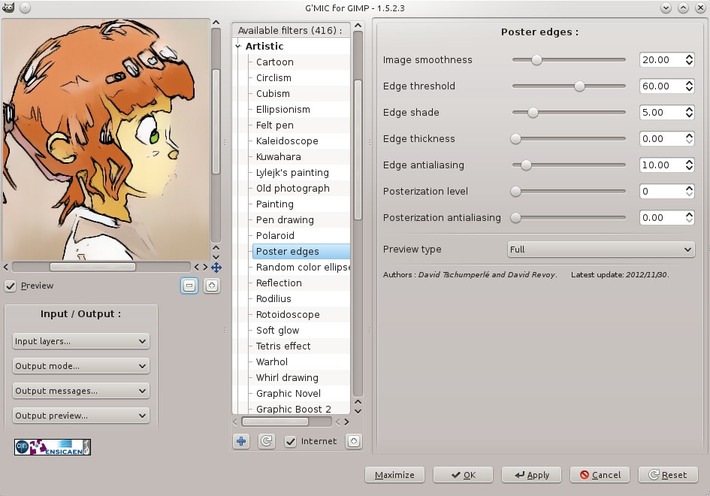
Last week I met at the event Capitole du Libre in my city, David Tschumperlé ( CNRS research scientist and well known on FLOSS world for the being the author of G'mic). I attended his conferences about the Cimg library, and that was very interesting to see the flexibility of the G'mic tools and technology underneath. Gmic was already my favorite collection of filters, and after the conferences he kindly proposed me to develop a filter if I had an idea about it. Nice :-)
One week after the event, I contacted him back with the request of having something similar than Photoshop "Poster Edges" filter. I saw many artist while browsing deviantART having this filter to put more impact on their drawing : for the most popular : Yuumei [1] [2] or Nuriko 's tutorial explaining how to use it. I thought it would be a good way to boost the graphic impact of my speed-painting as well. David came with a prototype the same day , and after few feedbacks he made a final version way more advanced than the Ps one. Talented!
You can test it by installing the last Gmic. The filter is under the 'artistic' category .
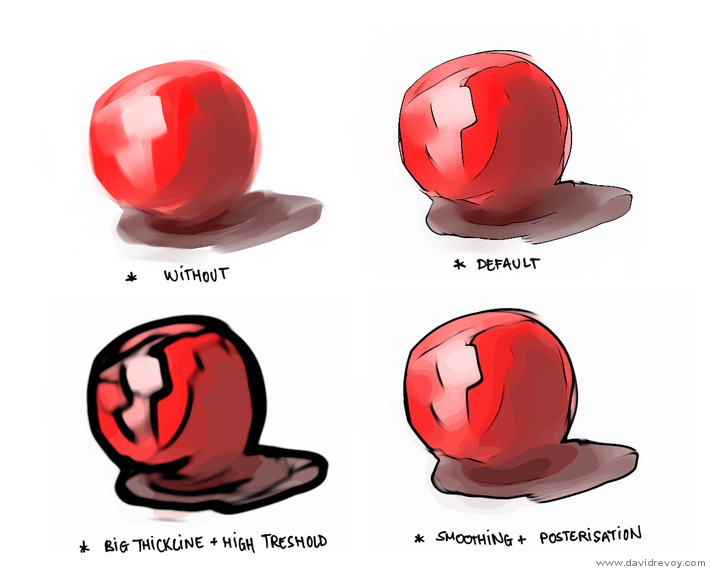 The filter detect automatically edges around the similar colors, and outline them. The line thickness, darkness and the sensibility of the detection can be tweaked via sliders ; and also the colors can be decimated to clean muddy colors area.
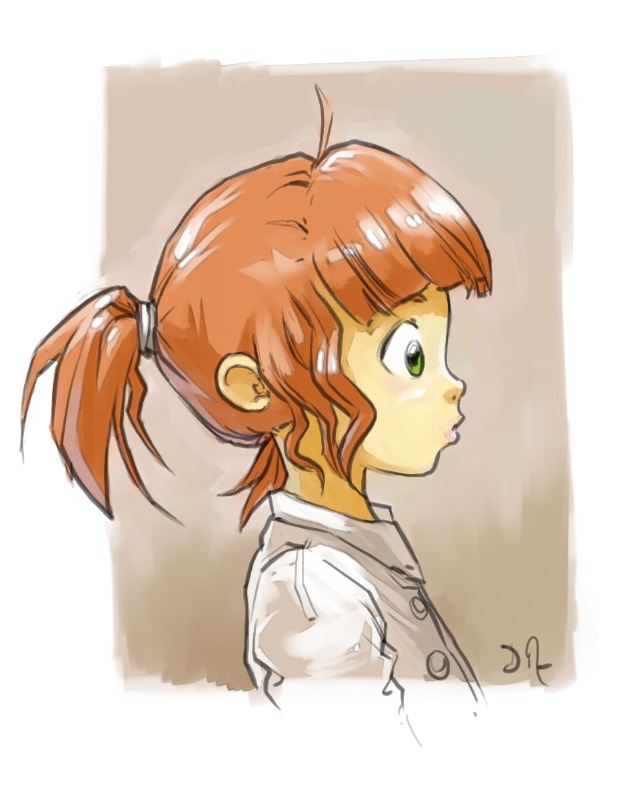 here is one of the test file I sent to David , a inking ( drawing on a top layer ) plus a colorization ( painted area on a bottom layer ) done with Mypaint . The Poster edges filter is applied only on the 'color layer' under the line art and I kept the effect very subtle following the recommendation of Nuriko 's tutorial. The color zone get a little more outlined and gain in visual impact and cleanness. ( note : I also dupicate the layer before applying the filter, and erase parts I dislike later manually ).
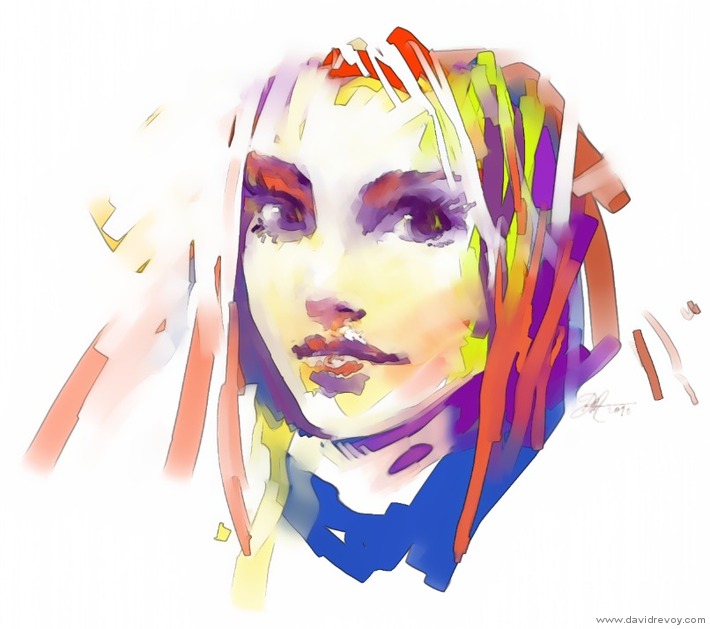
Here a stronger effect, more bold on a speed doodling made with Mypaint wet knifes and random color. Very graphic result thanks to poster edges filter.

Another test over a Krita speedpainting ( original here ) , with trying to find a good treshold to not have every zones affected. I really like the way it transformed to something more dynamic and underline the spontaneous painting strokes.
I hope you like it and you'll use it. Thanks again to David Tshumperlé !
