David REVOY - Concept Artist, Digital Painter, Art Director
website: wwww.davidrevoy.com
Blog > Tutorials

Video time-lapse - lezard

timelapse lezard  net
: timelapse lezard net
20 MIN VIDEO TUTORIAL ABOUT THE CHAOS

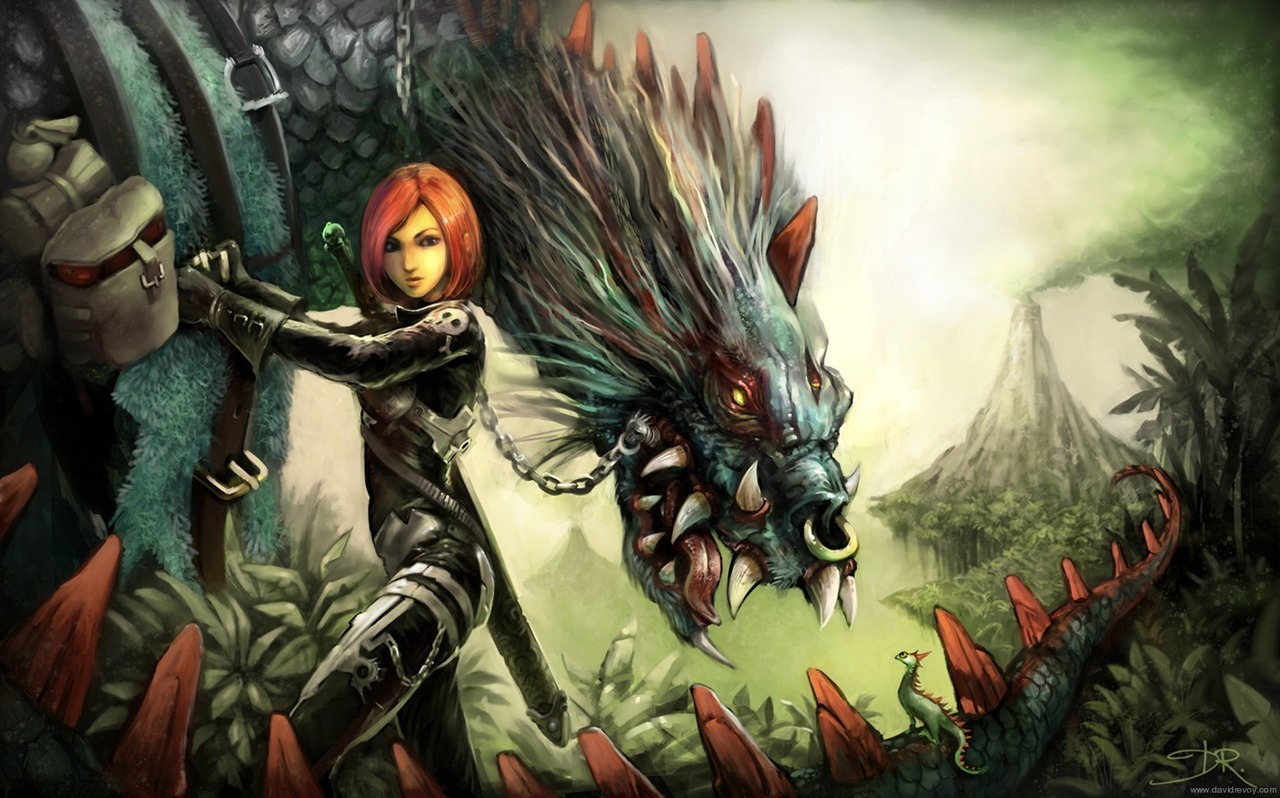
I present here a long video tutorial done with 100% free and open sources softwares and showcasing one of original pictural technics: the chaos.


Time-lapse of a full digital painting illustration with Mypaint / Alchemy and Gimp on Linux. ( only free and open-source application compatible with other system too ; ex : Windows ).

It was recorded in august 2009 as a technology demo for the 2D open source industry, done with Blender Video sequence editor as well as VLC/Mencoder and (gtk)Recordmydesktop.

A large picture of the result ( not full resolution ) can be found under:

timelapse lezard  net
: timelapse lezard net

Click to enlarge the finished picture

Information and link about the softwares :

Alchemy : http://al.chemy.org/download/
Mypaint : http://mypaint.intilinux.com/?page_id=6
Gimp : http://gimp.org/downloads/ >
gimp-for-painter : http://fr.sourceforge.jp/projects/gimp-painter/releases/?package_id=6799 >
Gimp Paint Studio : http://code.google.com/p/gps-gimp-paint-studio/downloads/list
Linux Mint : http://linuxmint.com/download.php


Creative commons "attribution 3.0" (by:)
To Kevin McLeod (Music) - incompetech.com
and David REVOY (video & art ) - davidrevoy.com


Direct link to the video of the Timelapse - lezard :
link :here on vimeo


Bookmark and Share

Comments

Avatar Gravatar

From John R. Nyquist , 18 Dec. 2009 , 19:01

Very nice work David! Amazing! It's nice you put the software links up too.


Avatar Gravatar

From dark-blast , 20 Dec. 2009 , 02:16

we are proud to have you in FOSS creative! Nice work, great!


Avatar Gravatar

From David Revoy , 21 Dec. 2009 , 07:07

Thanks John and Dark-Blast ( nice portfolio , btw )


Avatar Gravatar

From Jolan , 28 Dec. 2009 , 04:48

AMAZING !!!

On the other hand is there a .deb for Gimp Studio ?
http://foxbunny.tumblr.com/post/236367268/gimp-studio-1-0

And how to install Gimp Painter correctly in Ubuntu (with logo in the main menu (GNOME)?
A tutorial in a next post should be great to explain how.

So very glad to see a digital painter who use Linux and free software


Avatar Gravatar

From David Revoy , 28 Dec. 2009 , 15:11

Thanks Jolan ;
I don't have a .deb for "Gimp Studio" but I read it carefully and I really like what the author do.

To install Gimp-painter on Ubuntu, download the *.deb here :
http://sourceforge.jp/projects/gimp-painter/downloads/38305/gimp-painter-_2.6.6-20090321-1_i386.deb

Install it ; Gimp-painter should be installed in your /opt/gimp-painter-/ folder.
To run it you can execute this bin :
/opt/gimp-painter-/bin/gimp-2.6

But I prefer to create a symbolic link to the usr/bin folder like this :
sudo ln -s /opt/gimp-painter-/bin/gimp-2.6 /usr/bin/gimp-painter

After this symbolic link created ; you can launch Gimp-painter from a terminal with typing only gimp-painter. Edit the Ubuntu menu is easy with this new "gimp-painter" shortcut.
If I have time , I will try to dedicate a post to this with good screenshots, and clean little code box ;)


Avatar Gravatar

From Jolan , 28 Dec. 2009 , 17:35

I tried to "compile" GimpPainter with a command that I found on the net but it didn't work

So I tried in Windows but it was very slow and very not attractive (lol)

Thank you for this tips. And glory to free softwares


Avatar Gravatar

From Rainer , 25 Feb. 2010 , 17:17

very nice work :)


Avatar Gravatar

From RetoucheLibre , 10 Mar. 2010 , 19:08

Ouch !!!
I previously saw this incredible video but I did not remember your name until you post your comment on my own blog. As we say in french : "chapeau bas".


Avatar Gravatar

From kocsi monika , 11 Mar. 2010 , 11:28

lines of marvelous work. I try my painted, but I'm not a graphic like I can not really draw a bar, I painted I hope we start to do my film is a short-RPG
Tovabbi a lot of luck working time in Hungary


Avatar Gravatar

From Anthony , 23 Mar. 2010 , 06:46

Hi David, This is a great Tutorial.

I was wondering what program you use for the screen capture?


Avatar Gravatar

From David Revoy , 23 Mar. 2010 , 18:07

@RetoucheLibre & Koksi Monika: Thanks !

@Anthony: Thanks, I use the software recordmydesktop and gtkrecordmydesktop. Maybe I will do an article soon about.


Avatar Gravatar

From Tef , 08 Apr. 2010 , 21:19

Wouaaah !! Je suis impressioné David ! Comme souvent d'ailleurs par la qualité de tes illustrations. Ta vidéo est trèèèèèès enrichissante car j'apprends pleins de choses (et surtout tu m'as fait découvrir Alchemy qui est vraiment top !)

Bravo :)


Avatar Gravatar

From Yoyo , 12 Apr. 2010 , 18:10

¡Es muy buena, este pintura! Te agradezco mucho :-)


Avatar Gravatar

From riptyde , 02 Mai. 2010 , 15:21

David, Excellent work...I love your style.

I don't remember where it was, but I thought I had read a reply by you stating you still had the full length, unedited, real time footage of this painting. Is that true? If so do you have a link to download it? I'm learning digital painting and I would really like to watch someone paint in real time.

Thanks

Riptyde


Avatar Gravatar

From SomeFunkyDude , 28 Mai. 2010 , 10:59

Whoa! That is so cool. Thanks.


Avatar Gravatar

From Naran , 09 Jun. 2010 , 16:03

Yéhéééééé

Belle leçon humilité. J'avais portant comment la journée en me disant que j'allais peintre et finalement il est 16h et j'en est pris plein les mirettes. Je reste sans voix devant tant de maitrise "carac design+creature+lanscapes+inovation= DR ;-)
Est le plus génial dans tout ça c'est que tu le fait avec des logiciels libres de droits. ça donne envie de jeter photoshop et de foncer vers cette voie que tu nous ouvert.
à Toi l'explorateur numérique

MERCI

Naran


RSS(comments of this post)


What is the third letter of the word zxdql ? :